Get in touch
Obsidian is a powerful note-taking and personal knowledge management (PKM) application.
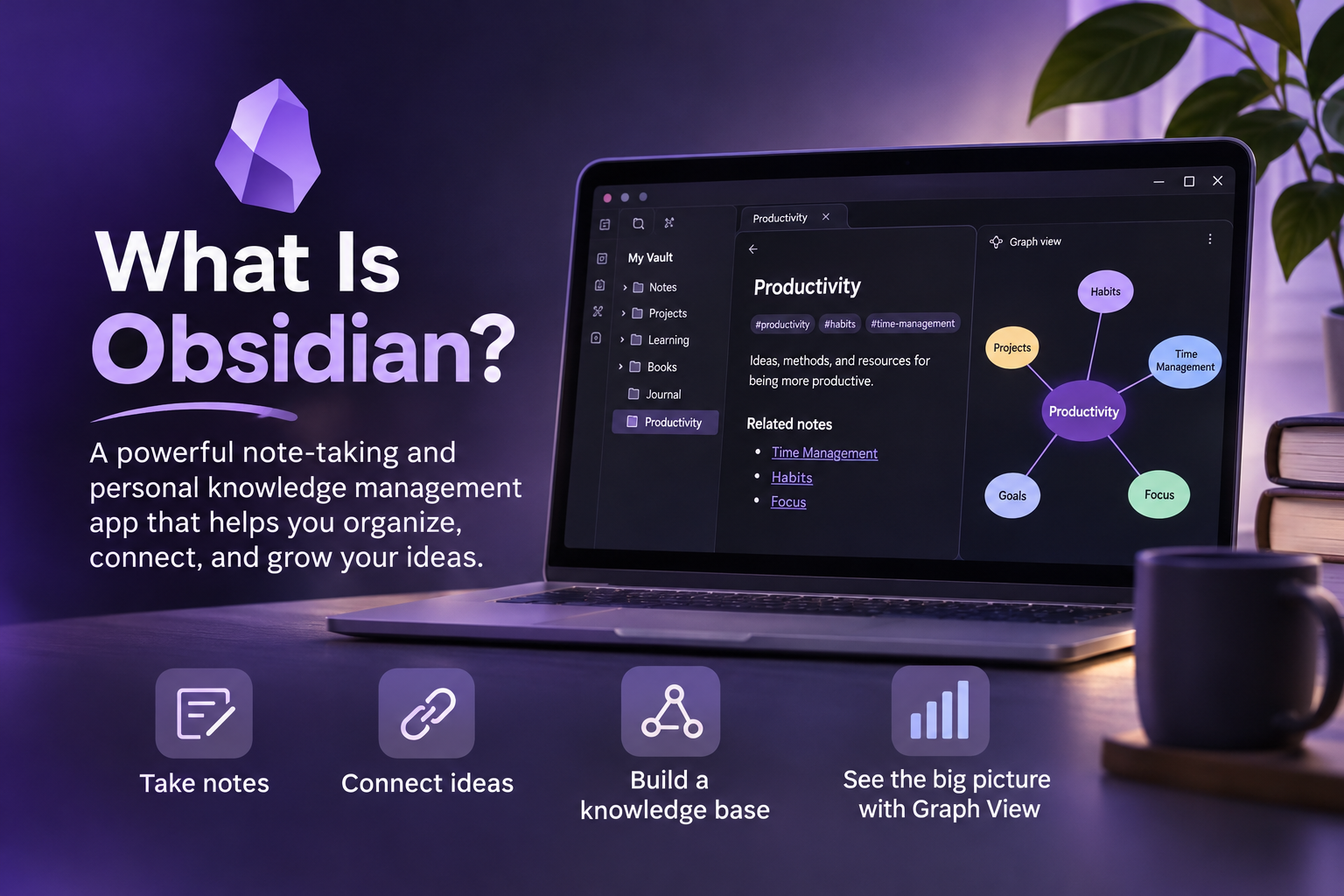
What Is Obsidian and Why Should You Give It a Try?
We live in a world overflowing with information. We read articles, take courses, collect ideas, make plans, write notes, and constantly acquire new knowledge. But where do we keep all this information? More importantly, how can we organize it so that we can easily find it, connect it, and actually use it when we need it?
This is where Obsidian comes in — an application that can transform the way you organize information, manage your notes, and build your personal knowledge system.
What Is Obsidian?
Obsidian is a powerful note-taking and personal knowledge management (PKM) application.
Simply put, it is a digital space where you can build your own library of ideas, information, thoughts, and projects.
Unlike traditional note-taking apps, Obsidian focuses on connecting information. You can link one note to another, establish relationships between ideas, and discover connections you might not have noticed otherwise.
Obsidian is more than a place to store information. It is a tool that helps you build, organize, and develop your own knowledge system.
How Does Obsidian Work?
At its core, Obsidian is built around a simple concept: your notes are Markdown files stored locally on your device.
These files are organized inside a workspace called a Vault, which acts as the main folder for all your notes.
You can create:
- Notes about virtually any topic.
- Personal journals and daily reflections.
- Reading lists and book summaries.
- Ideas for personal or professional projects.
- Study materials and course notes.
- Plans, goals, and task lists.
- Professional documentation.
What makes Obsidian particularly interesting is its ability to connect notes through internal links.
For example, a note about productivity can be linked to another about time management, which can then connect to a third note about habits and personal development.
Instead of keeping information in isolated documents, you gradually build an interconnected network of knowledge.
Graph View – Visualizing the Connections Between Your Ideas
One of Obsidian's most fascinating features is Graph View.
It provides a visual representation of the connections between your notes, displayed as a network of nodes and lines.
Each node represents a note, while each line represents a connection between two notes.
As your personal knowledge library grows, the graph becomes more complex, giving you a visual overview of how your ideas and information relate to one another.
It is a fascinating way to see how individual pieces of information can become part of a much bigger picture.
What Can You Use Obsidian For?
Obsidian is incredibly flexible. You can use it for many different purposes, including:
1. Organizing Information
Collect and organize important information related to your personal life, professional activities, interests, and projects.
2. Studying and Learning
Create notes from courses, books, articles, and educational materials. Connect concepts and build a personal learning resource that grows over time.
3. Project Management
Organize ideas, goals, tasks, research, and documentation for your personal or professional projects.
4. Personal Journaling
Keep a daily journal, reflect on your experiences, record ideas, and track your personal growth.
5. Building a Personal Knowledge Management System
Create your own knowledge base where information becomes increasingly valuable as you add new notes and connect existing ideas.
Why Choose Obsidian?
Several features make Obsidian stand out from many other note-taking applications:
- Data ownership: Your notes are stored locally on your device.
- Open file format: Your notes are saved as Markdown files, which can be accessed using other applications.
- Connected thinking: You can create links between notes, ideas, and concepts.
- Customization: You can personalize your workspace using themes, plugins, and different settings.
- Flexibility: You can use Obsidian for simple note-taking or build sophisticated knowledge management systems.
Another important advantage is that Obsidian can be used offline. You don't need a constant internet connection to access and edit your local notes.
Is Obsidian Beginner-Friendly?
Absolutely!
Although its interface and extensive features might seem a little overwhelming at first, you don't need to understand everything to get started.
You don't need a complicated system, dozens of plugins, or an elaborate folder structure.
Start small:
- Create your first Vault.
- Write a few notes.
- Connect related ideas using internal links.
- Explore Graph View.
- Gradually discover the features that make your workflow more efficient.
The most important thing is to build a system that works for you.
Final Thoughts
Obsidian is much more than a note-taking application. It is a tool that helps you organize your thoughts, connect information, and build your own personal knowledge library.
In a world where information is constantly growing, the ability to organize, understand, and transform information into meaningful knowledge is becoming increasingly valuable.
Obsidian gives you a space to do exactly that — at your own pace, in your own way, and with control over your information.
Your ideas deserve more than being scattered across dozens of documents and applications. They deserve to be connected.
Your email address will not be published. Required fields are marked *
Cookie preferences