Get in touch
✨ **The Ultimate AI & Design Tech Stack for Modern Creatives!** 💻🔥
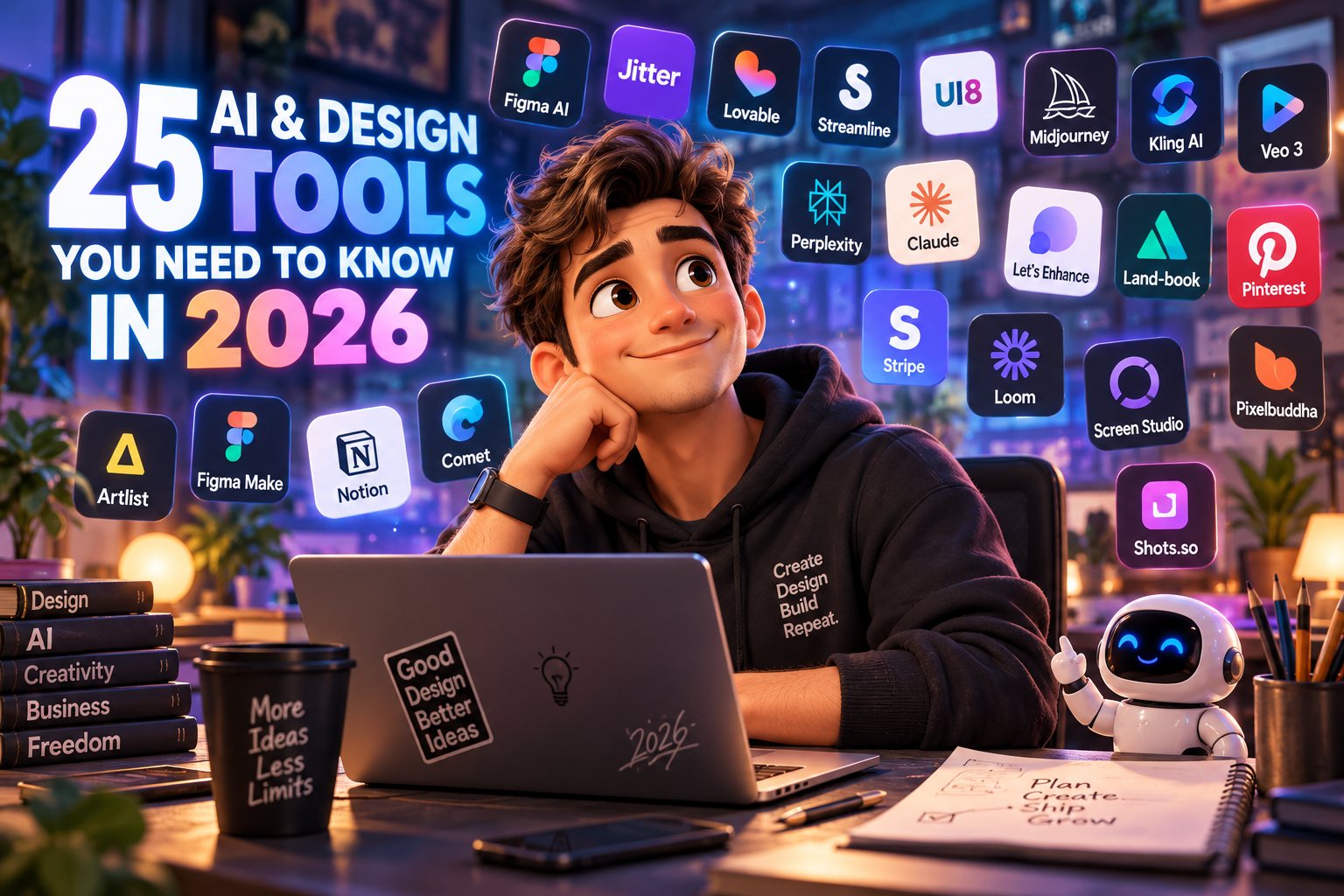
# 🚀 25 AI & Design Tools You Need to Know in 2026 🎨🤖
than ever! ⚡ In 2026, designers, developers, and digital creators have access to powerful tools that help them design interfaces 🎨, generate stunning visuals 🖼️, build websites 🌐, create videos 🎬, and manage entire projects more efficiently 🚀.
Designer Viktor Oddy recently shared his AI and design tech stack, highlighting tools that support almost every stage of the creative process — from finding inspiration 💡 to delivering polished work to clients 🤝.
Ready to upgrade your workflow? Let's explore! 👇
## 🎨 1. Design & Prototyping
**1. Figma AI 🎨** — Accelerate interface design and explore new ideas with AI-powered workflows.
**2. Jitter 🎞️** — Create motion graphics and animations for websites, presentations, and digital content.
**3. Figma Make 🪄** — Turn design concepts and prompts into interactive web experiences and prototypes.
**4. UI8 🧩** — Discover UI kits, templates, design resources, and mockups to speed up your creative process.
**5. Streamline 🎯** — Access a comprehensive collection of icons, illustrations, and visual assets.
## 🌐 2. Website Design & Development
**6. Lovable 💻** — Build websites and web applications using natural-language prompts and AI-assisted development.
**7. Claude 🧠** — Get coding assistance, debug problems, and explore smarter technical solutions.
**8. Land-book 🏆** — Find inspiration from curated landing pages and modern website designs.
💡 These tools help you move from an initial idea to a working prototype faster, giving you more time to focus on user experience, visual quality, and strategy.
## 🤖 3. AI Image, Video & Animation Generation
**9. Midjourney 🖼️** — Generate creative visuals, concept art, and eye-catching images.
**10. Kling AI 🎬** — Create AI-generated videos and bring static visuals to life with animation.
**11. Veo 3 🎥🔊** — Generate AI videos with synchronized audio for immersive audiovisual content.
**12. Let's Enhance 🔍** — Improve image resolution, sharpness, and visual detail.
**13. Pixelbuddha 🎨** — Explore creative assets, graphic resources, and effects for design projects.
**14. Artlist 🎧** — Find music, sound effects, and audio assets for video production and creative content.
🔥 Combine these tools to create promotional videos, animated website backgrounds, social media content, and compelling visual campaigns — without needing a large production team for every project.
## 🔎 4. Research & Creative Inspiration
**15. Perplexity 🧠** — Research topics, discover information, and explore ideas with AI-assisted search.
**16. Pinterest 📌** — Collect visual references, build mood boards, and discover new creative directions.
**17. Land-book 💡** — Study real-world landing pages, layouts, visual hierarchies, and modern web design trends.
✨ Great design starts with curiosity! Use research and inspiration tools to discover fresh ideas, explore creative directions, and develop your own unique visual identity.
## ⚡ 5. Productivity & Client Collaboration
**18. Notion 🗂️** — Organize projects, document processes, manage tasks, and keep everything in one workspace.
**19. Loom 🎥** — Record quick video messages and walkthroughs to communicate with clients and teammates.
**20. Screen Studio 🖥️** — Create polished screen recordings for product demos, tutorials, and presentations.
**21. Comet 🌐** — Explore the web with AI-assisted browsing and research capabilities.
🚀 A well-organized workflow is just as important as great creative work. These tools help you stay organized, communicate clearly, and reduce unnecessary back-and-forth.
## 🖼️ 6. Mockups & Visual Presentation
**22. Shots.so 📸** — Turn screenshots into polished mockups and attractive visual presentations.
**23. UI8 🧩** — Use ready-made design resources to present concepts and showcase digital products.
**24. Streamline ✏️** — Add consistent icons and illustrations to interfaces, presentations, and marketing materials.
💎 The way you present your work matters! High-quality mockups can elevate your portfolio, strengthen your presentations, and help clients visualize the final product.
## 💼 7. Running a Creative Agency
**25. Stripe 💳** — Manage online payments and payment processing for your business.
🤝 Combine Stripe with tools like Notion and Loom to support billing, project management, and client communication — helping you build a more organized creative business.
## 🛠️ How to Build Your Own AI Design Stack
You don't need every tool on this list to work efficiently! 🎯 The best tech stack is the one that solves your specific problems without adding unnecessary complexity.
Here's a simple way to get started:
- 🎨 **UI/UX Designers:** Start with Figma, Streamline, Pinterest, and Land-book.
- 🌐 **Web Designers:** Explore Figma Make, Lovable, and Claude.
- 🎬 **AI Content Creators:** Experiment with Midjourney, Kling AI, and Veo 3.
- 💼 **Freelancers & Agencies:** Combine Notion, Loom, Screen Studio, and Stripe.
- 🔎 **Creative Researchers:** Use Perplexity and Pinterest to discover ideas and develop stronger concepts.
💡 Start with a few essential tools, learn how they work together, and expand your stack as your projects grow.
## 🚀 Final Thoughts
AI is transforming the way designers and digital creators work! From generating visuals 🖼️ and building websites 🌐 to producing videos 🎬 and managing client projects 📋, the right tools can save time, simplify workflows, and unlock new creative possibilities. ✨
But here's the thing: **tools alone don't make great work.** 🧠
Your creative judgment, strategic thinking, and understanding of your audience are what make the difference. AI becomes truly powerful when you use it to enhance your skills — not replace your thinking. 🔥
### 💬 Let's Talk!
👇 **What's your go-to AI and design tool in 2026?**
🚀 Which tool has transformed your workflow the most? Share your favorites in the comments and let's discover new tools together!
🔖 **Save this post** for your next creative project and share it with someone who loves design and AI.
#️⃣ **Hashtags**
#AI #ArtificialIntelligence #AITools #DesignTools #GraphicDesign #WebDesign #UIDesign #UXDesign #Midjourney #Figma #Lovable #AITools2026 #CreativeWorkflow #DigitalCreativity #FutureOfDesign
*📝 Note: This article is an editorial adaptation of a shared tool list. Features and availability may change, so verify current capabilities before publishing specific product claims.*
Your email address will not be published. Required fields are marked *
Cookie preferences